

What Is SketchUp?
SketchUp is a general-purpose 3D modeling tool originally developed by Google and now owned by Trimble. It is widely used across architecture, interior design, woodworking, and construction for creating quick 3D models and conceptual layouts.
SketchUp comes in three tiers: a free web-based version, SketchUp Go at $119 per year, and SketchUp Pro at $349 per year. The free version is enough to build basic kitchen layouts, which is why many kitchen dealers and remodelers consider it as an alternative to expensive industry-specific software like 2020 Design.
But there is a critical distinction: SketchUp is a general modeling tool. It was not built for kitchen and bath design. It has no manufacturer catalogs, no automated items lists, and no kitchen-specific drafting standards. Everything must be built or imported manually.
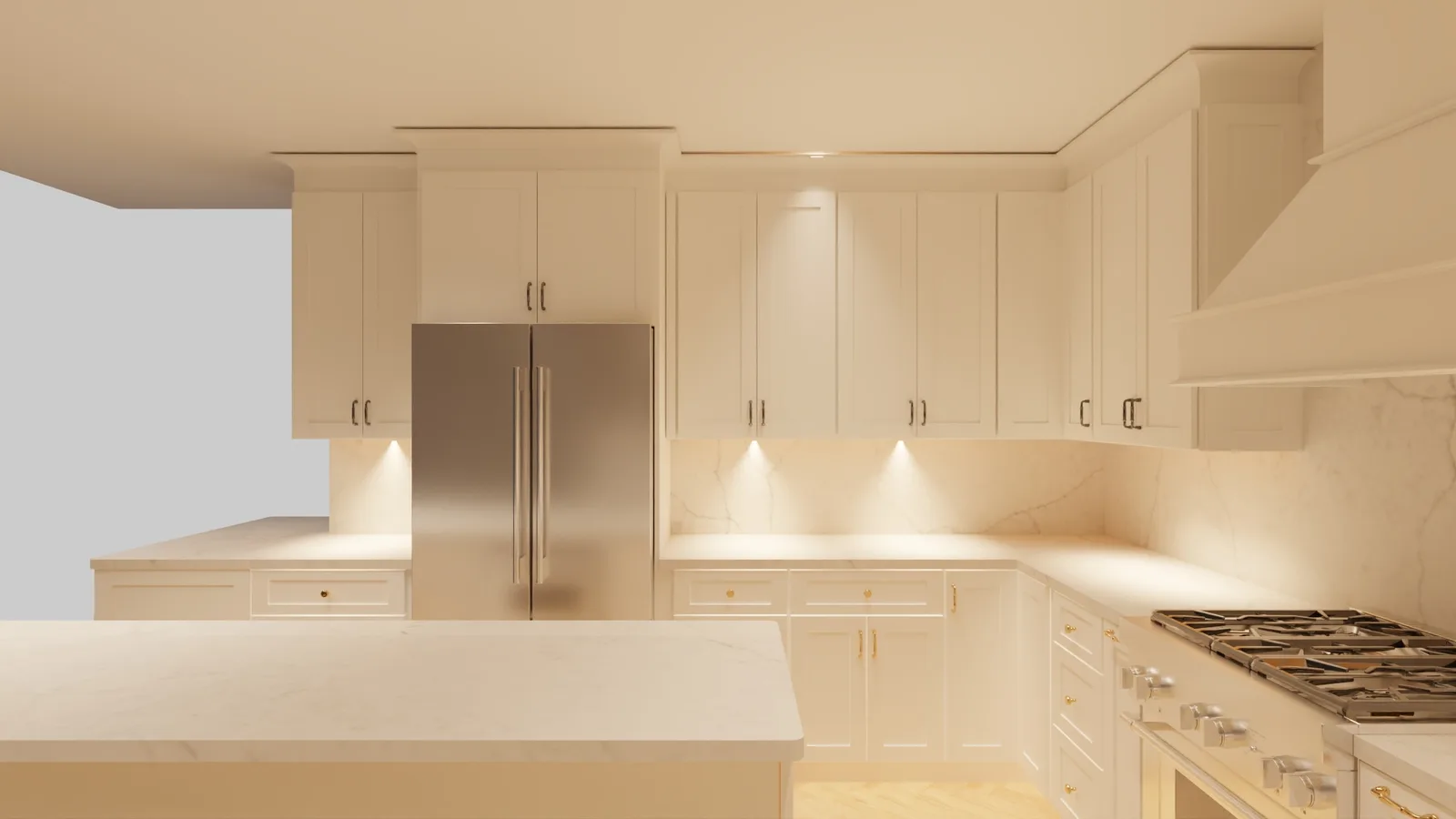
Professional kitchen render produced in 2020 Design - the level of output SketchUp cannot match for cabinet-specific projects.
SketchUp vs 2020 Design for Kitchen Professionals
For kitchen dealers and remodelers evaluating their software options, here is how SketchUp compares to 2020 Design and a third option - outsourcing design work entirely:
| Feature | SketchUp | 2020 Design | FKD Outsourcing |
|---|---|---|---|
| Cost | Free – $349/yr | $5,000 – $15,000/yr | $100/room |
| Manufacturer catalogs | Manual import only | 55+ pre-loaded catalogs | All catalogs included |
| Kitchen-specific tools | Basic or plugin-dependent | Full suite | Handled by experts |
| Elevation drawings | Manual creation | Automated | Included |
| Items list / BOM | Not available | Yes, with pricing | Included |
| Learning curve | Medium | Steep (weeks to months) | None |
| Output quality | Depends on skill level | Professional | Professional |
| Turnaround | Self-service | Self-service | Next morning |
The cost difference is the first thing most dealers notice. SketchUp is dramatically cheaper than 2020 Design. But cost alone does not tell the full story - what matters is whether the tool can produce the deliverables your manufacturers and clients need.
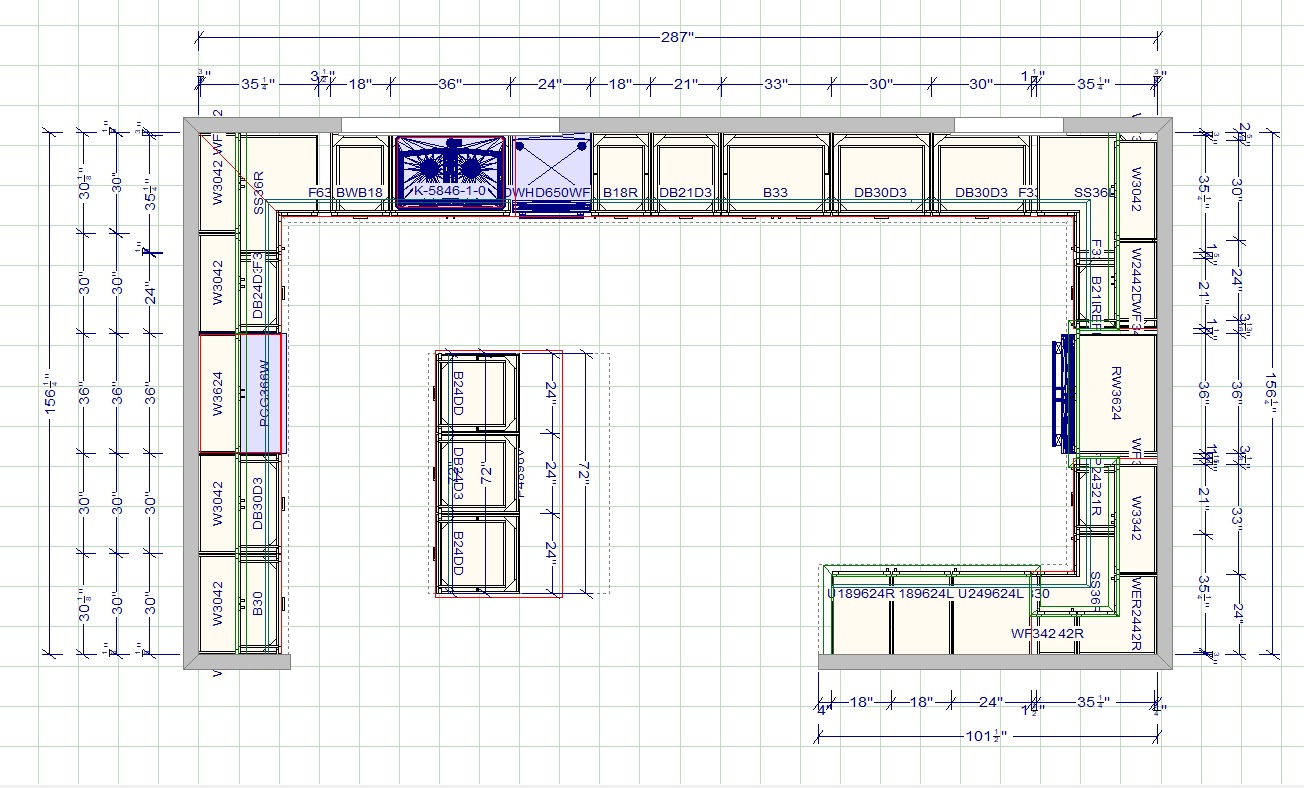
A dimensioned kitchen floor plan - one of the deliverables included in every FKD design package.
When SketchUp Works for Kitchen Design
SketchUp is a reasonable choice in specific scenarios:
- Quick conceptual layouts: If you need to show a client a rough 3D view of their kitchen during a sales meeting, SketchUp can produce a basic layout faster than most alternatives.
- Designers already proficient in SketchUp: If your team already knows SketchUp from architectural or interior design work, the learning curve is minimal. You can leverage existing skills rather than investing in new software training.
- Low-volume projects: If you design one or two kitchens per month, spending $5,000 or more per year on 2020 Design is hard to justify. SketchUp at $349 per year or free is a fraction of the cost.
- Client presentations: SketchUp produces attractive 3D renders that work well for selling the concept to homeowners. Combined with plugins like V-Ray, the visual output can be impressive.
Where SketchUp Falls Short for Kitchen Cabinets
For professional kitchen design - the kind that generates accurate orders, manufacturer-specific part numbers, and NKBA-compliant drawings - SketchUp has significant gaps:
- No manufacturer catalog integration: 2020 Design comes with 55+ pre-loaded manufacturer catalogs (Fabuwood, Forevermark, Wolf, CNC Cabinetry, and more). In SketchUp, you must model every cabinet manually or find third-party models that may not match real product dimensions and specifications.
- No automated items list or pricing: When you design cabinets in SketchUp, there is no way to automatically generate a bill of materials with SKUs and pricing. In 2020 Design, the items list is generated directly from the layout with accurate part numbers.
- Elevation drawings are manual work: 2020 Design generates wall elevations automatically from the floor plan. In SketchUp, you must create each elevation view manually, add dimensions, and annotate them by hand.
- No .KIT file output: Many cabinet manufacturers accept .KIT files for direct ordering. SketchUp cannot produce these files. If your workflow requires .KIT files, SketchUp is not an option.
- No NKBA-compliant dimensioning: Kitchen design has specific dimensioning standards set by the National Kitchen and Bath Association. SketchUp has no built-in awareness of these standards, so compliance depends entirely on the designer's knowledge.
These limitations mean that while SketchUp can produce attractive visuals, it cannot replace the production workflow that 2020 Design or professional outsourcing provides.
Skip the software learning curve.
200+ dealers outsource to FKD instead of buying software. $100/room, all catalogs loaded, delivered by morning.
“As a remodeler, I don’t have time to learn 2020 Design. FKD lets me focus on what I’m good at - the actual remodeling work.”
- Remodeler
The Third Option: Skip the Software Entirely
There is a growing trend among kitchen dealers and remodelers: instead of buying expensive software or struggling with general-purpose tools, they outsource their kitchen design work to a specialized team.
At Fast Kitchen Design, dealers pay $100 per room and receive everything that 2020 Design produces - without buying any software, hiring a designer, or learning a new tool:
- All 55+ manufacturer catalogs loaded and always up to date
- Complete design packages: floor plans, elevations, 3D renders, and items list with pricing
- Delivered by next morning - submit measurements tonight, get the full package tomorrow
- Native .KIT files you can open in 2020 Design Flex or send directly to manufacturers
- Unlimited revisions at no extra charge
- No learning curve, no license cost, no hiring
More than 200 kitchen dealers and remodeling companies across North America already use this approach. They focus on selling and installing kitchens while a team of 30+ trained designers handles the drafting and rendering work.
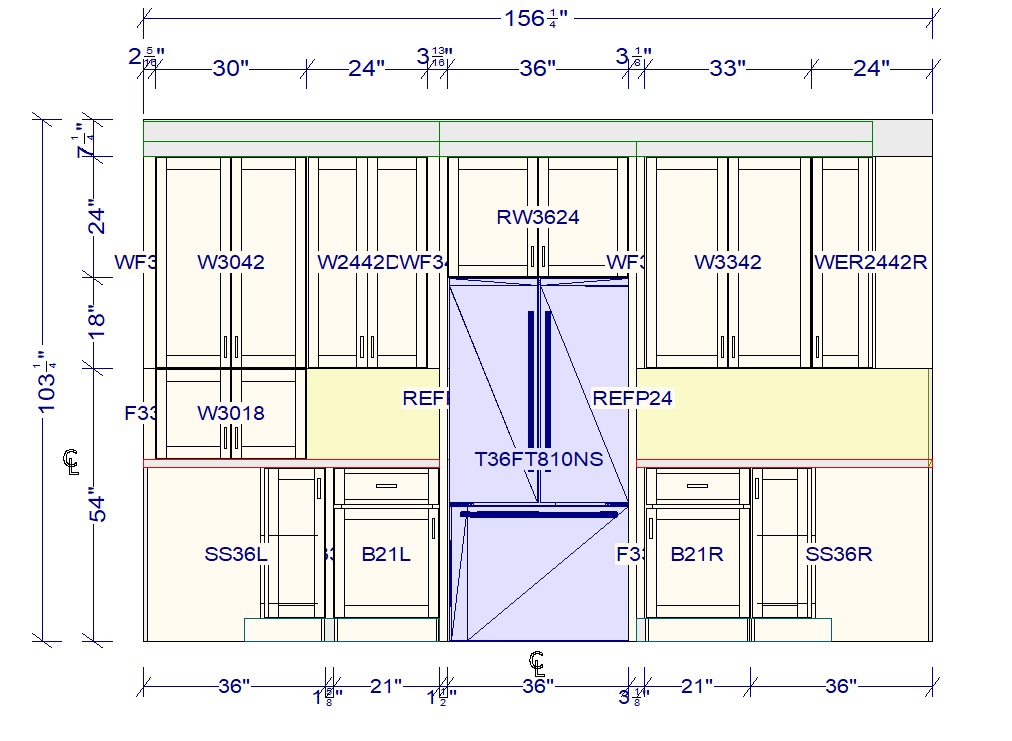
Professional elevation drawing showing exact cabinet heights and appliance placement - included with every FKD project at $100/room.
Which Option Is Right for You?
The best choice depends on your volume, budget, and workflow requirements:
- Doing 1–2 designs per month? SketchUp may be sufficient for basic layouts and client presentations. The free version costs nothing, and the learning curve is manageable.
- Doing 5–10+ designs per month? You need either 2020 Design or outsourcing. At this volume, SketchUp's manual workflow becomes a bottleneck, and the lack of manufacturer catalogs costs you time on every project.
- Do not want to hire a designer or buy software? Outsourcing at $100 per room gives you professional output without any fixed costs. Scale up or down month to month with no contracts.
- Need manufacturer-specific catalogs and .KIT files? Only 2020 Design or outsourcing can provide these. SketchUp cannot generate manufacturer-specific output regardless of how skilled the designer is.
Many dealers start with SketchUp, realize the limitations as their volume grows, and eventually move to either 2020 Design or outsourcing. The outsourcing path is the fastest - you can submit your first project tonight and have the complete design package by morning.
Try Your First Design Free
Not sure if outsourcing is right for your business? Submit a project tonight and get it back by morning - no commitment, no credit card. See the quality for yourself and decide whether SketchUp, 2020 Design, or outsourcing is the best fit for your workflow.


